How to use Overnewz
Everything in the overlay, one screen at a time. Every picture on this page is the real app, showing real cards from the live feed.
Install it, then forget it's there.
Download Overnewz for Windows or macOS and run the installer. The overlay opens straight into your 7-day free trial: no card, no account, no sign-up.
It stays hidden until something worth reading lands, then appears over whatever you're doing. Press Ctrl + Shift + N (⌘ + ⇧ + N on a Mac) to show or hide it yourself, from anywhere.
Drag it to wherever your screen has room. A bar at the top confirms you're moving it, and five seconds after you let go it saves the position and gets out of the way.
The dot at the top left is the connection light: green means you're receiving the live feed, amber means it's still connecting.
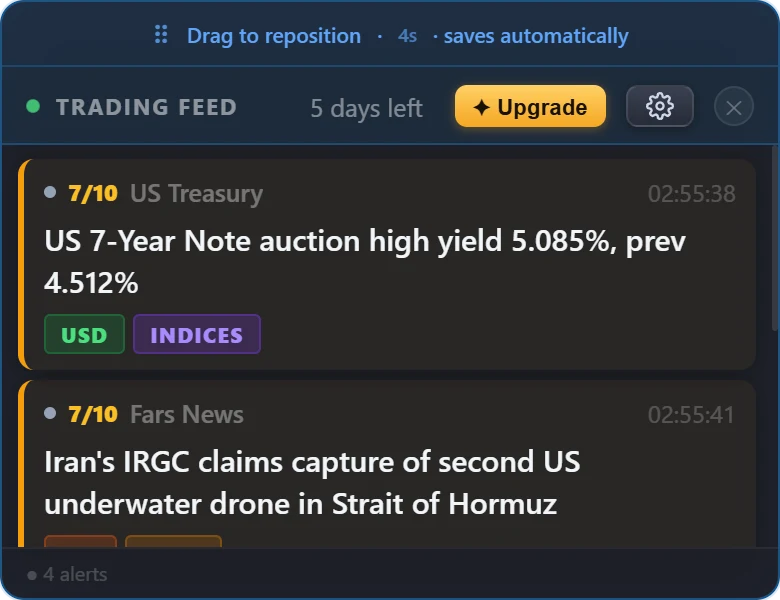
Four kinds of card, at a glance.
Each one is shown running live on the Features page. Tap through to watch it work.
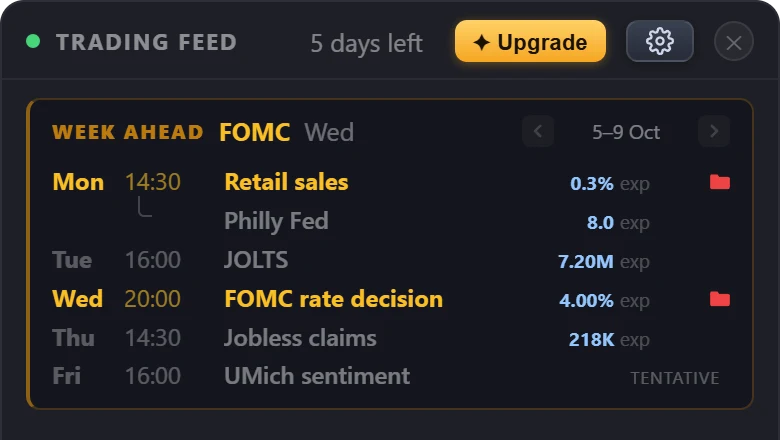
Week ahead
Every scheduled release this week, on one card.
See it live →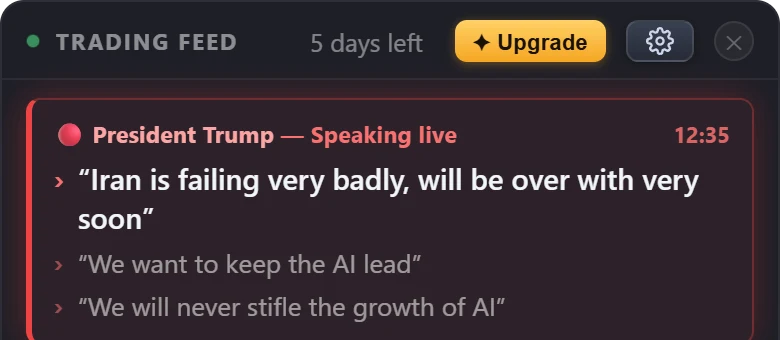
Live speeches
Trump and the Fed Chair, line by line as they speak.
See it live →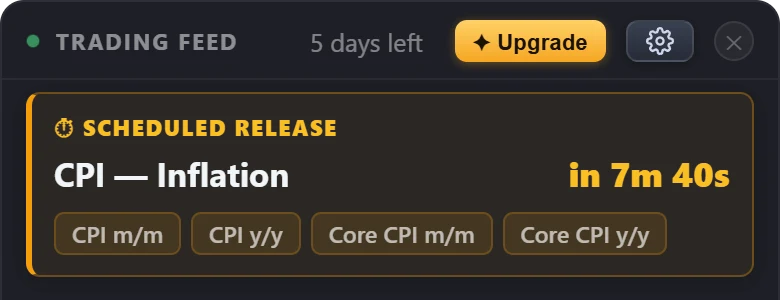
Release countdown
The next big print, counted down to the second.
See it live →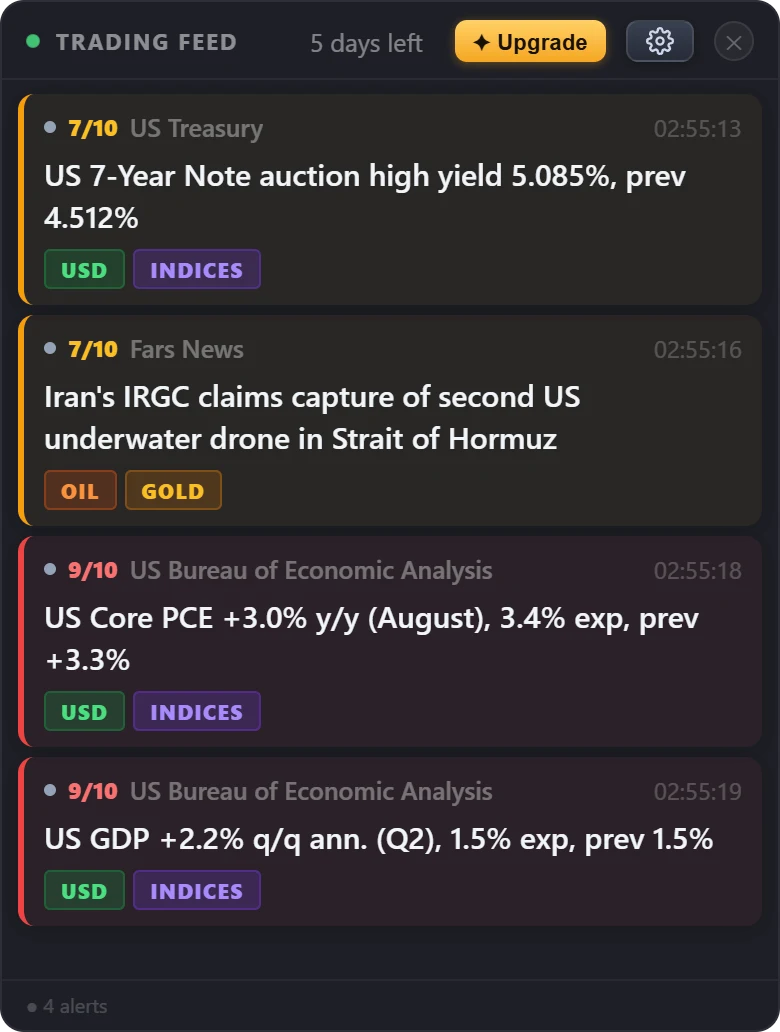
News cards
Scored 0–10 for market impact; hover one for the market read.
See it live →Less window, same news.
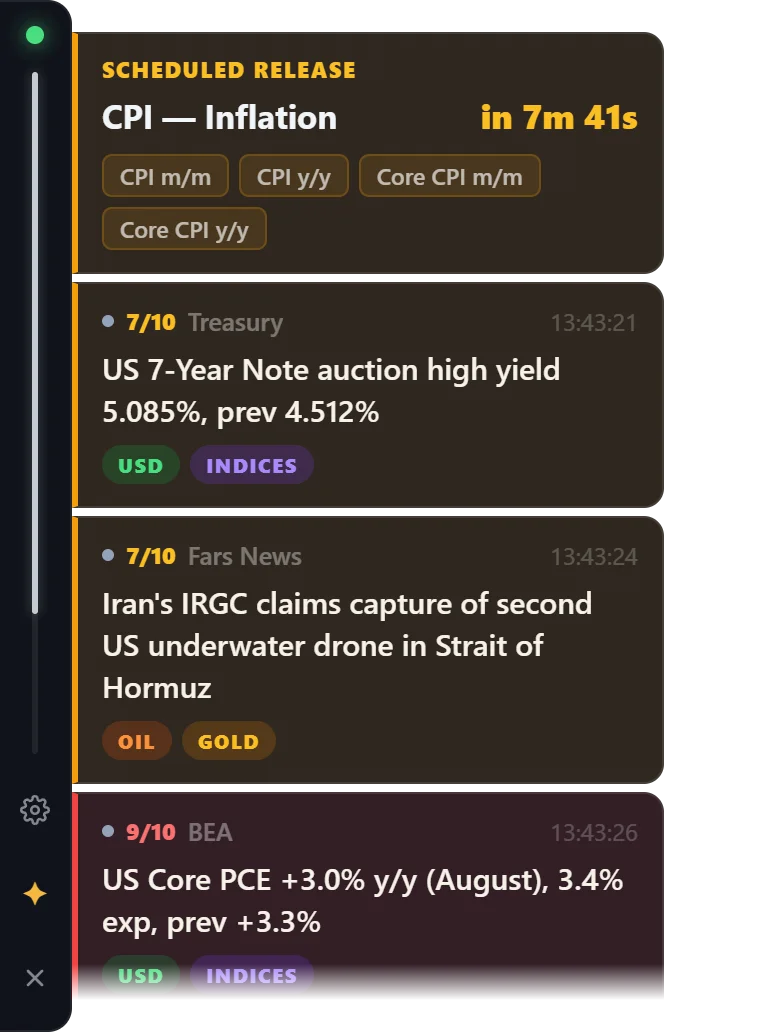
Compact mode swaps the panel for a slim bar docked to the edge of your screen, with the connection light, settings, upgrade and close on it, and the cards in a column beside it.
Nothing is removed: the same cards, countdowns, week ahead and live speeches all show here. The empty space around it clicks straight through to the chart underneath, so it can sit on top of your platform while you work.
Switch it on in Settings → Compact mode, and back the same way.
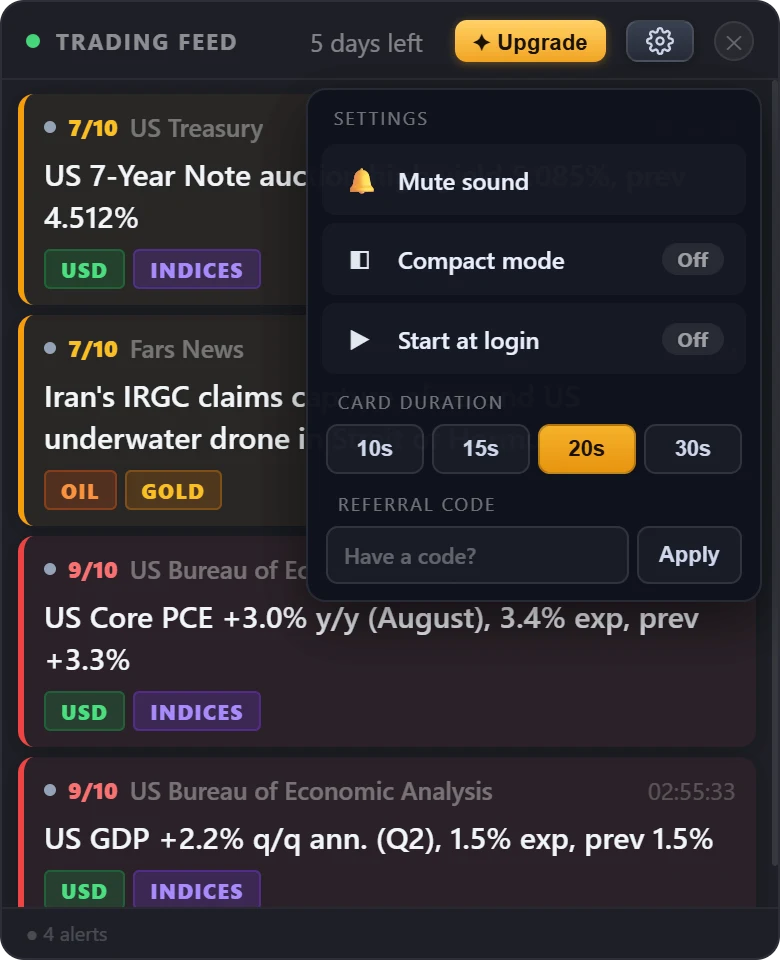
A handful of settings, all on one menu.
The gear icon opens everything there is to set:
- Mute sound: turns off the chime on red cards. The visuals stay exactly the same.
- Compact mode: the slim edge-docked layout above.
- Start at login: launch Overnewz with your computer, so it's already watching when the market opens.
- Card duration: how long a card stays before it clears itself: 10, 15, 20 or 30 seconds.
- Referral code: if a partner gave you a code, enter it during your trial to extend it to 14 days.
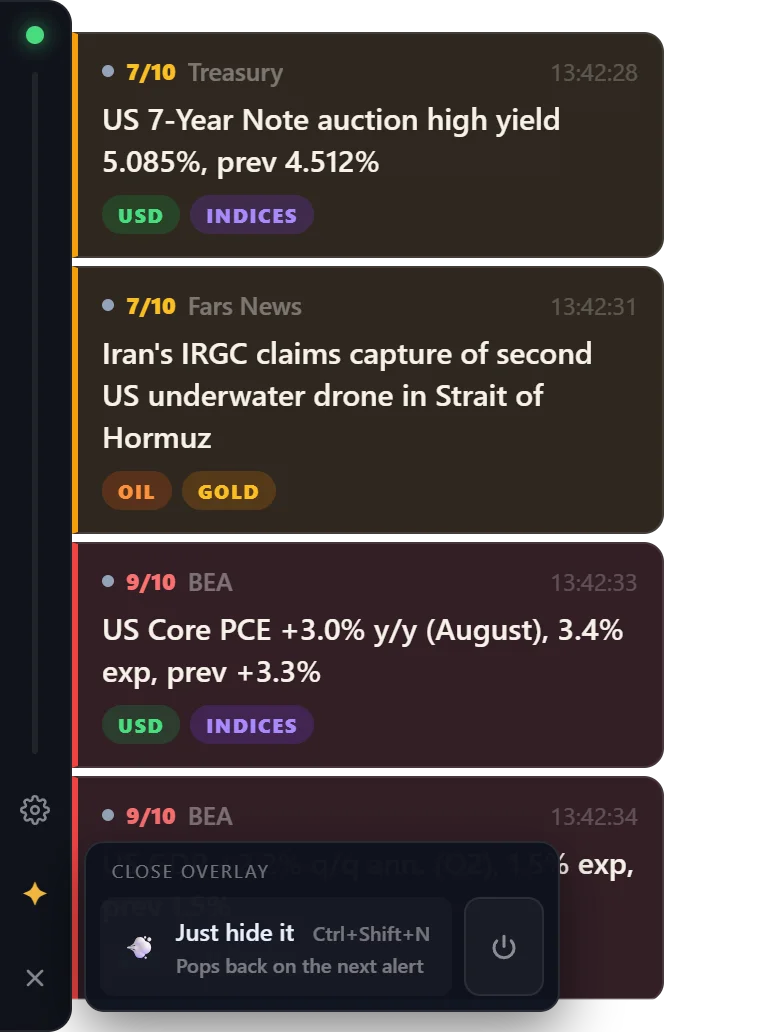
Hide it or quit it, your call.
The ✕ gives you two choices, in the full panel and in compact mode alike.
Just hide it tucks the overlay away. It pops back on its own when the next alert lands, or whenever you press Ctrl + Shift + N. Overnewz keeps watching the whole time.
The power button beside it quits Overnewz completely. Nothing runs and no alerts arrive until you open it again.
Try it on your own screen
Seven days free: the whole product, no credit card, no account, no sign-up.
It floats on top of whatever's on your screen, so it needs a Windows or Mac computer.